

Rates are the shipping charges you wish to charge your customers.
In our example we’ll use 3 commonly used rates:
* Free Shipping
* Standard Delivery
* Heavy Goods Shipping
Each rate is set up with both an Urban and a Rural price. It’s entirely up to you what you wish to charge for each option.
When your customer reaches the checkout, your carrier service will check their postcode, and if it matches a New Zealand Post rural postcode, it will present the rural price from your shipping rates, otherwise it will present the urban price.
You can set up as many shipping rates as you like.
Setting Rates
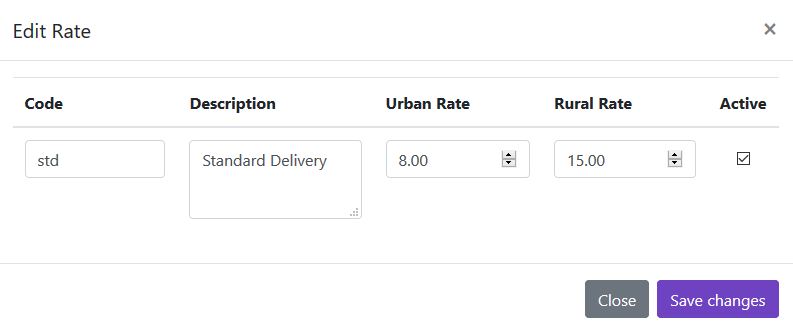
Here is an example setting our ‘Standard Delivery’ Rate
Code: A short code to identify the rate, these can be letters or numbers and are displayed in your Shopify order admin.
Description: The description of the shipping method that is shown to your customers at the checkout.
Urban Rate: How much this rate costs for non-rural addresses.
Rural Rate: How much this rate costs for rural addresses.
Active: So that you can turn individual rates on and off in your checkout.
Set as many rates as you like.
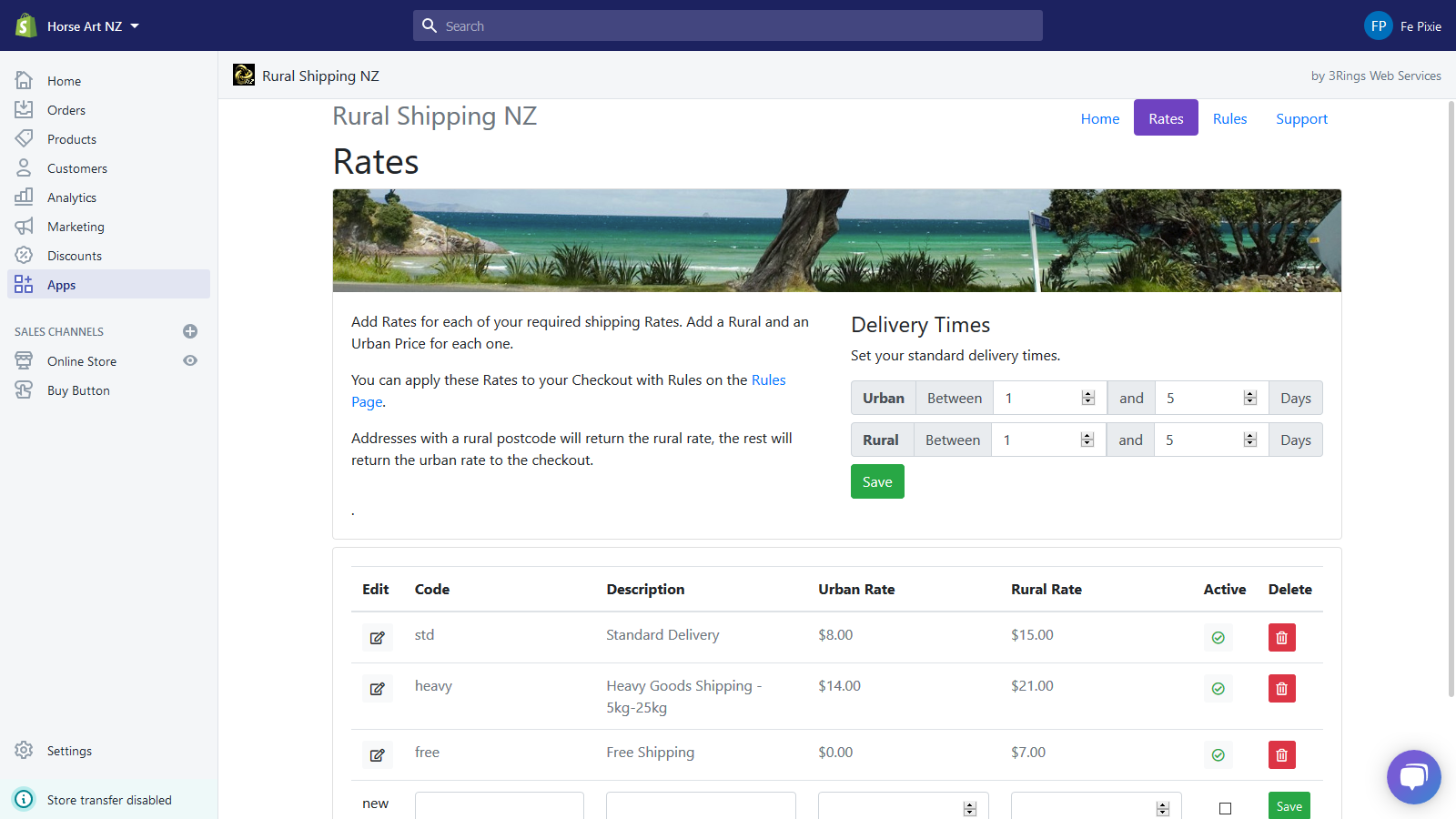
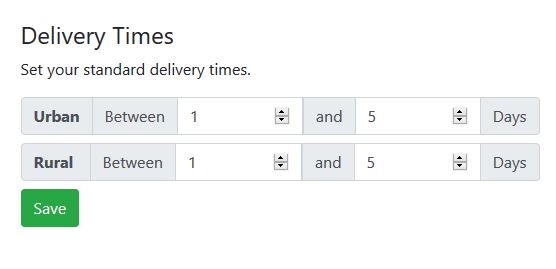
Delivery Times
On the rates page, you can also set some standard delivery times to let your customers know how long their order will take to arrive.
Note that Shopify use these to calculate how many ‘Business days’ away the delivery time is, depending on what day the order is placed, so include a couple of spare days to account for orders placed close to the weekend.
Next, you’ll set up Rules that will tell your checkout which rate to apply to an order. You will need both Rates and Rules set up in order for your calculated rates to work.