

Step 1
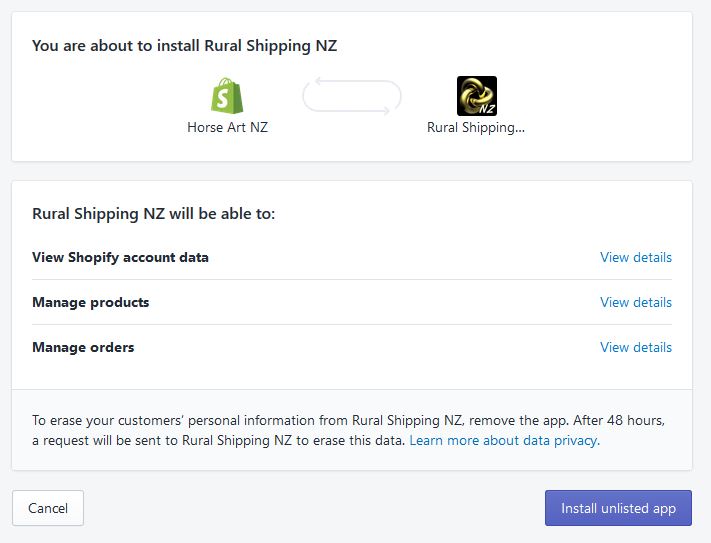
Go to the App Store and press the install button – you will be asked to give permissions to the App
Step 2
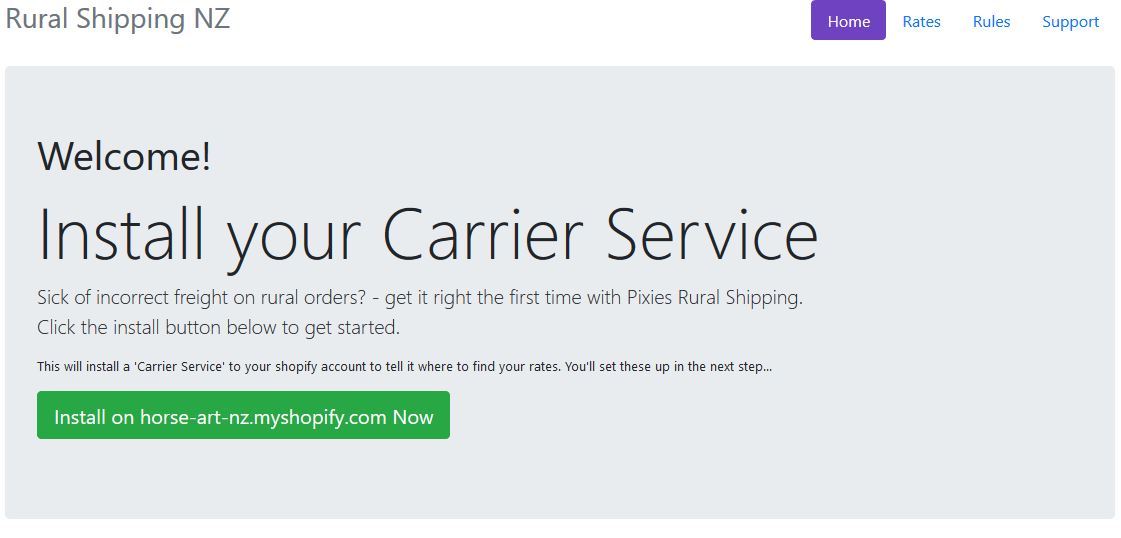
Press the Install button on the Carrier Service to install your Calculated Rates Service.
Step 3
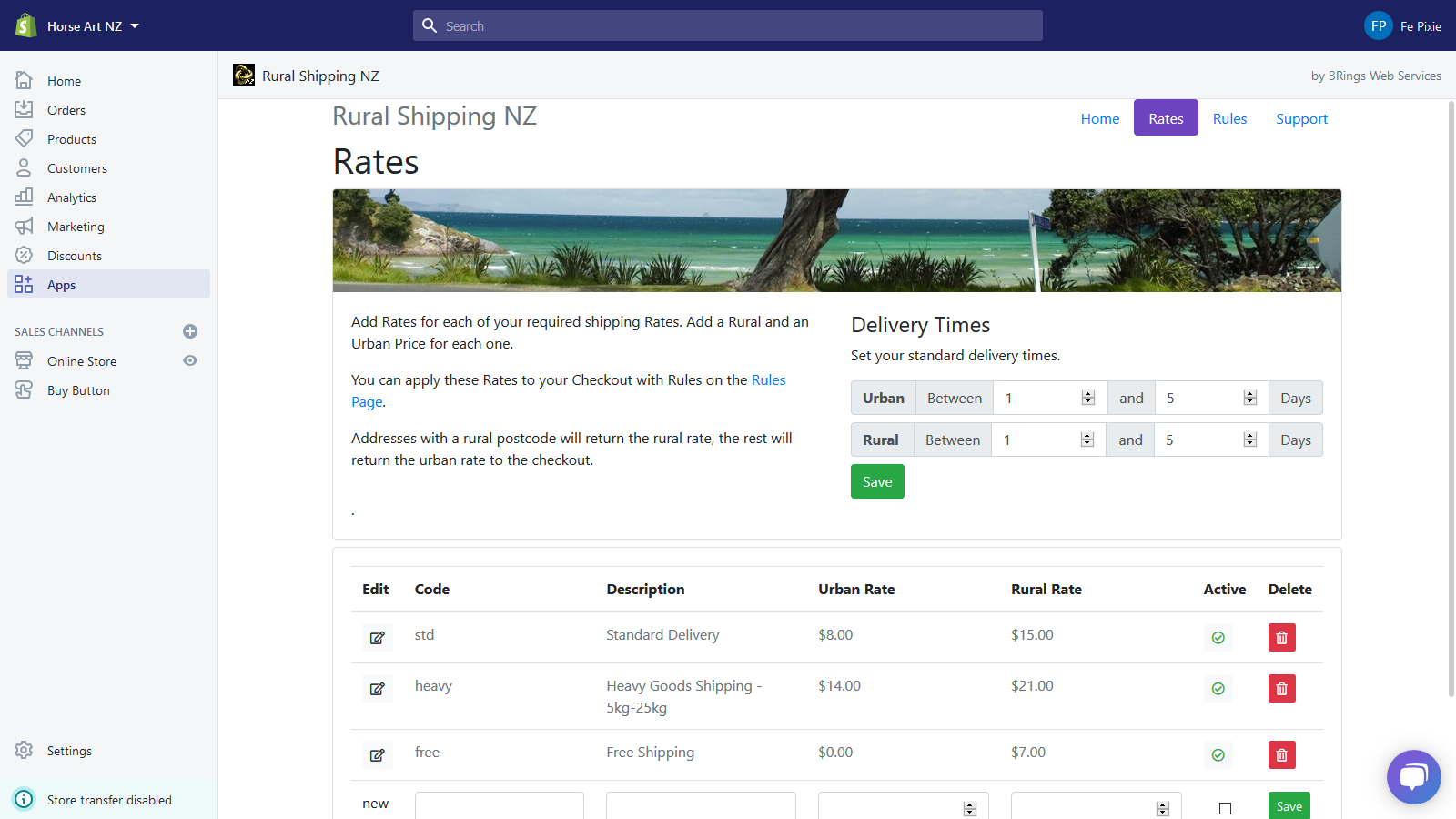
Add your Rates. More about setting your Rates here.
Step 4
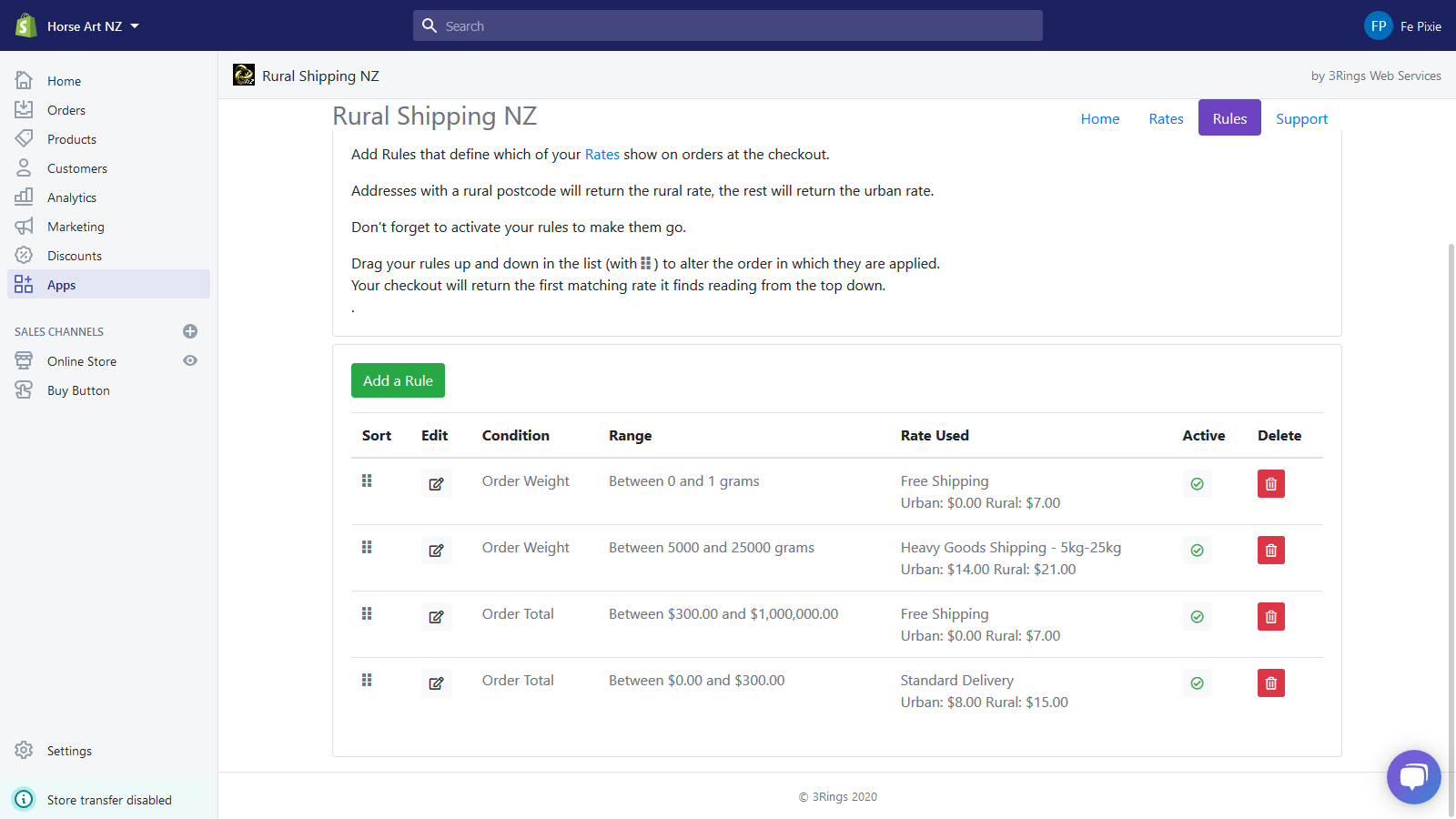
Add your Rules. More about setting Rules here.
Step 5
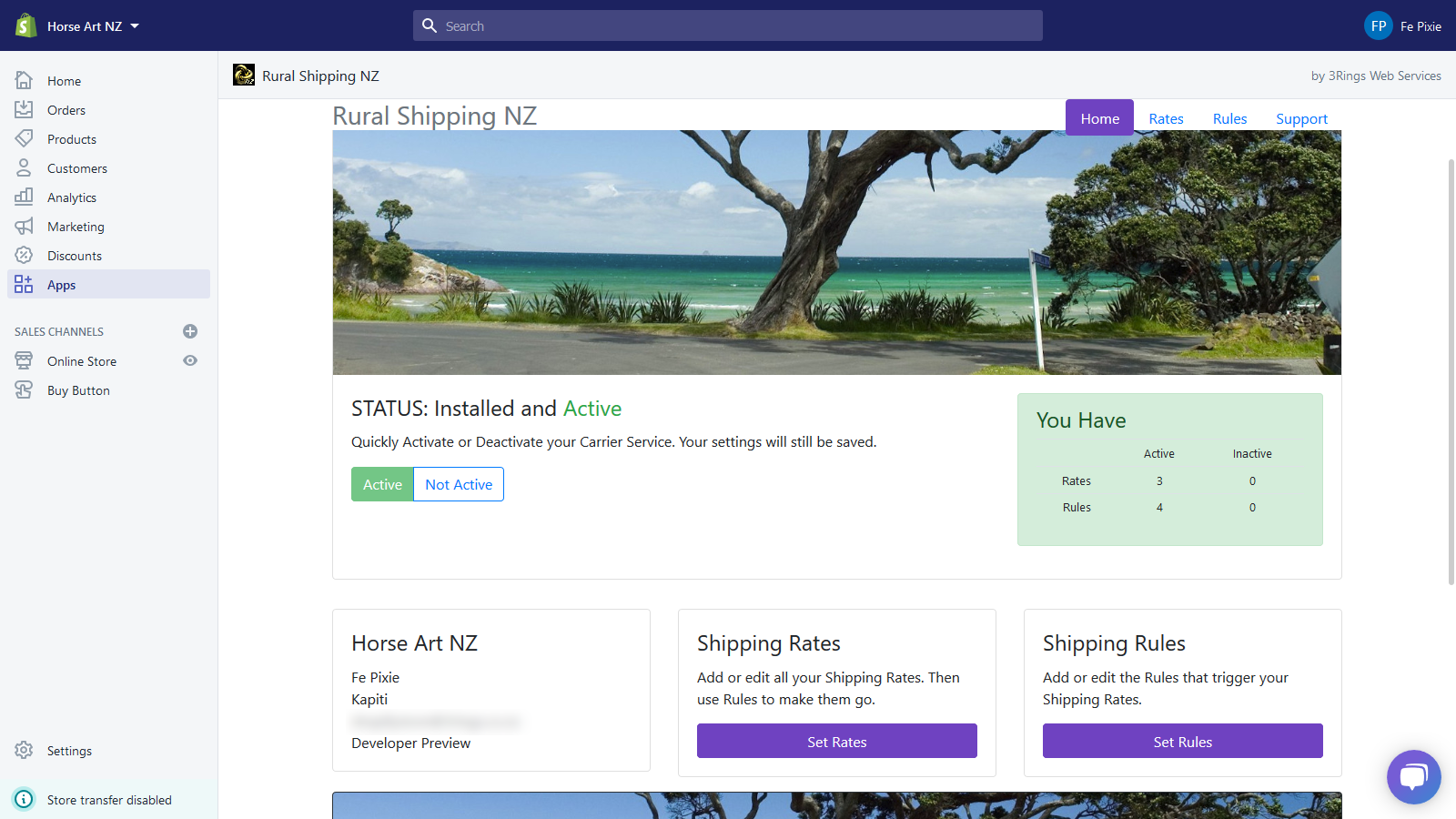
Activate your service. Once you have your rates and rules all set up, Activate your Carrier Service on the App home page.
Step 6
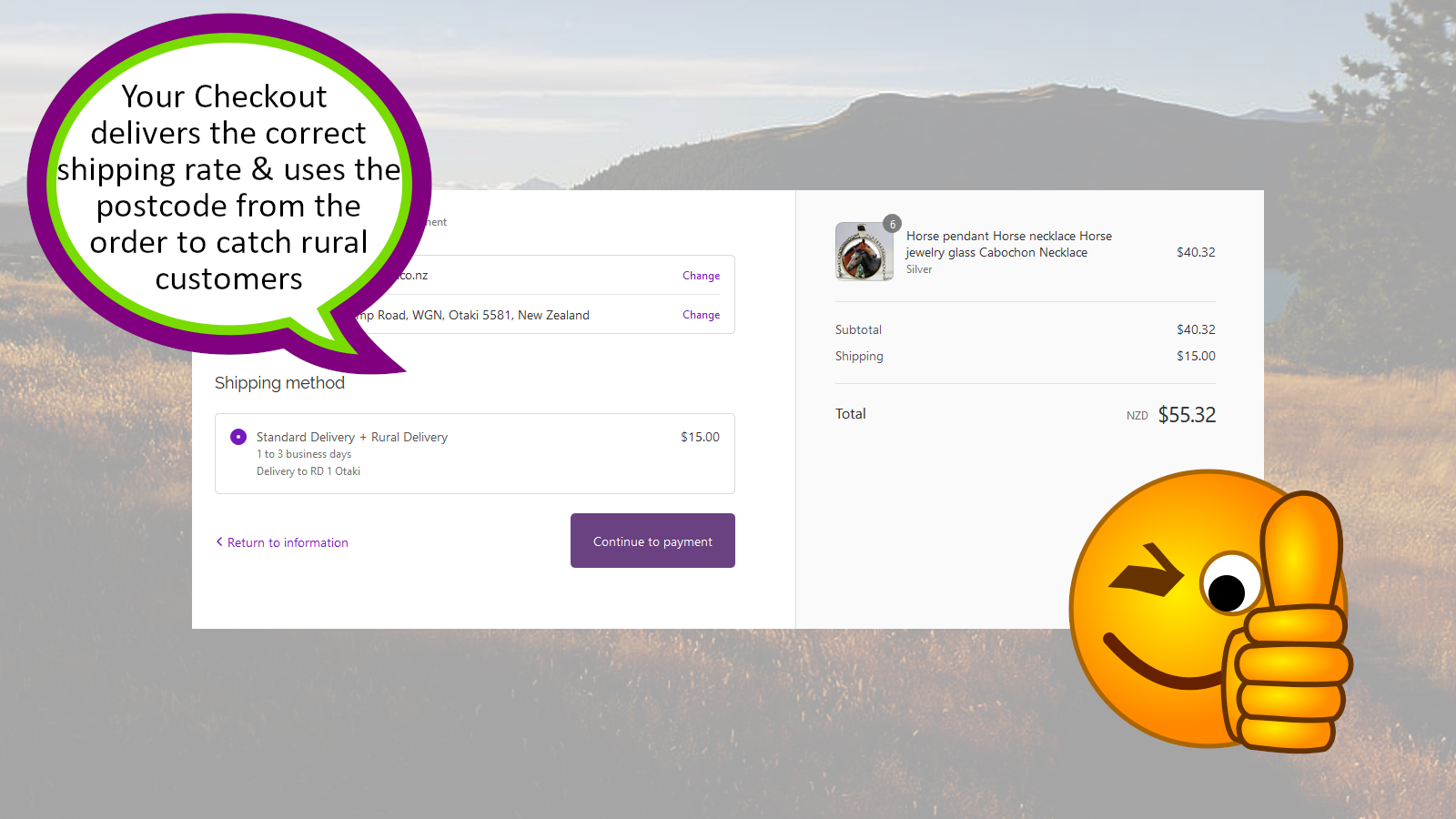
Test your rates and rules in your shop checkout.
Things to watch out for
If you already have manual shipping rates set up in your Shopify account, these will be offered to your customers as well as your calculated rates. You may like to delete your old shipping options so that only the calculated rates are shown.
Likewise having two calculated shipping apps may result in 2 or more rates being served at your checkout.
This app will only work for New Zealand delivery addresses.
If you need any help, or have questions or suggestions for us, you can contact us here.